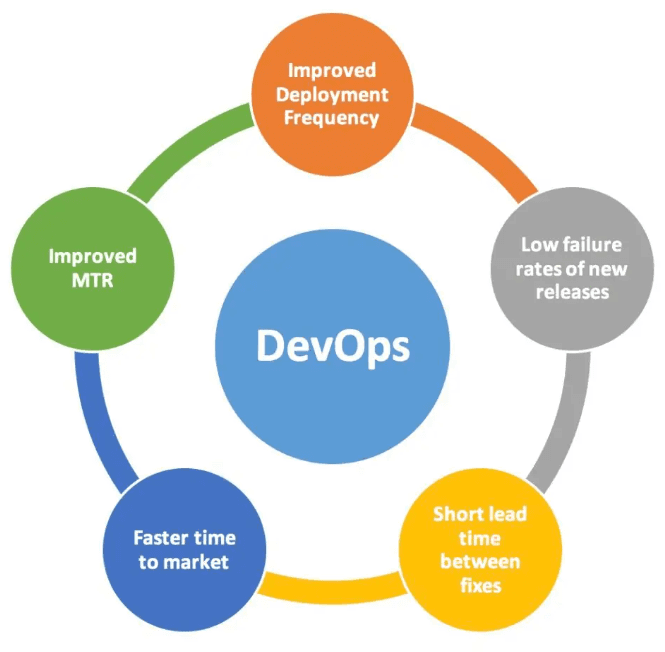
Are you struggling to keep your development, security, and operations teams on the same page? Creating a common tool strategy plan through Sec DevOps might be the solution you need.
Imagine cutting down confusion, speeding up workflows, and boosting your team’s efficiency—all by aligning your tools and processes. You’ll discover how Sec DevOps can help you build that unified plan, making your projects smoother and your results stronger. Keep reading to unlock the secrets to a seamless, powerful tool strategy that works for everyone involved.
Sec Devops Fundamentals
Sec DevOps combines security, development, and operations into one smooth process. It ensures software is built quickly and safely. Teams work together to spot and fix risks early. This helps deliver strong, reliable products that users trust.
Principles And Practices
Sec DevOps follows clear principles to keep projects secure. These include:
- Shift-left security: Find issues early in development.
- Automation: Use tools to speed up testing and checks.
- Collaboration: Developers, security experts, and ops teams work as one.
- Continuous feedback: Fix problems fast based on real data.
Practices focus on embedding security in every step. Code reviews, automated scans, and regular updates are common. This prevents vulnerabilities from reaching users.
Security Integration
Integrating security into DevOps means blending tools and processes. Security checks run alongside coding and deployment tasks. This stops delays and keeps workflows smooth.
Common tactics include:
- Embedding security testing in CI/CD pipelines.
- Using centralized logging to track threats.
- Applying role-based access control to limit risks.
- Regularly updating tools to fix security gaps.
Security becomes a shared responsibility, not a last step. This approach builds trust and reduces costly fixes later.
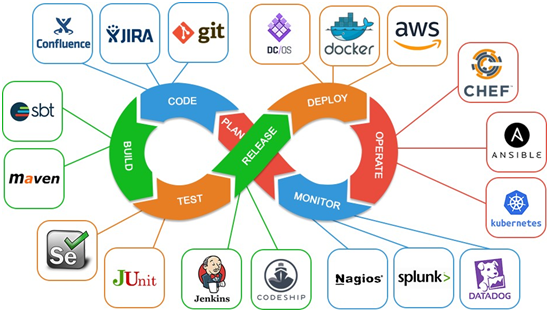
Credit: aws.plainenglish.io
Importance Of A Unified Tool Strategy
A unified tool strategy is vital for Sec DevOps teams. It ensures all members use compatible tools. This alignment reduces confusion and errors. A clear tool plan supports faster development cycles. Teams can focus more on security and delivery. It also helps manage costs by avoiding tool overlap.
Enhancing Collaboration
A common toolset improves teamwork across departments. Everyone accesses the same platforms and data. This shared environment boosts communication and trust. Developers, security experts, and operations staff work closely. It reduces delays caused by tool mismatches. Teams solve problems faster and share ideas easily.
Streamlining Processes
Unified tools create smoother workflows. Automation works better with consistent software choices. Repetitive tasks become faster and less error-prone. Teams spend less time switching between tools. Monitoring and reporting are simpler and clearer. This efficiency helps deliver secure software quickly and reliably.
Assessing Current Tools And Infrastructure
Assessing current tools and infrastructure is a key step for Sec DevOps teams. It helps create a clear picture of existing resources and their effectiveness. This assessment forms the base for a unified tool strategy plan. Teams learn what works well and what needs change.
By carefully reviewing tools and infrastructure, teams avoid overlaps and gaps. This process also improves collaboration and security. It ensures that the chosen tools fit the team’s needs and goals.
Inventory And Evaluation
Start by listing all tools currently in use across development, security, and operations. Include software, platforms, and hardware involved in workflows. Each tool should be documented with its purpose and version.
Evaluate each tool based on criteria such as:
- Functionality and features
- Integration with other tools
- User adoption and ease of use
- Cost and licensing
- Security capabilities
- Support and maintenance
This evaluation highlights which tools deliver value and which create bottlenecks. It also shows outdated or underused tools that may need replacement or removal.
Identifying Gaps And Redundancies
After evaluation, compare tools against team needs and project requirements. Identify missing functionalities that no current tool covers. These gaps can cause delays or reduce security.
Look for overlapping tools that perform the same tasks. Redundancies waste resources and confuse users. Streamlining tools boosts efficiency and clarity.
Use a simple table to track gaps and redundancies:
| Category | Current Tools | Gaps | Redundancies |
|---|---|---|---|
| Code Analysis | Tool A, Tool B | Automated security scanning | Tool A and Tool B overlap in static analysis |
| Deployment | Tool C | Continuous deployment features missing | None |
This clear view guides future tool decisions and investments. It helps build a lean, effective toolset for Sec DevOps success.
Criteria For Tool Selection
Choosing the right tools for a Sec DevOps strategy is more than just picking popular software. The tools must align with your team’s needs and security goals. Understanding clear criteria can help you avoid costly mistakes and ensure smooth collaboration across development, security, and operations.
Security Features
Security is non-negotiable in Sec DevOps. You want tools that offer real-time vulnerability detection, encryption, and compliance checks. Ask yourself: does this tool protect data at every stage? Tools with built-in security features help catch risks early and reduce manual oversight.
Look for capabilities such as:
- Automated threat scanning
- Role-based access controls
- Audit trails and logging
I’ve seen teams struggle when tools lacked proper security controls, leading to breaches that could have been prevented. Don’t let your tool be the weak link.
Integration Capabilities
Your tools must work seamlessly with existing systems. This means easy integration with CI/CD pipelines, cloud platforms, and monitoring solutions. Without integration, your team wastes time on manual tasks and suffers from fragmented workflows.
Consider whether the tool supports:
- APIs for automation
- Compatibility with popular platforms (e.g., Jenkins, Kubernetes)
- Data sharing across security and development teams
Ask yourself, how well will this tool fit into your current ecosystem? Tools that isolate themselves create bottlenecks rather than solve problems.
Scalability And Performance
Your tool must grow with your projects. A tool that performs well with small teams might fail under heavy workloads or larger environments. Assess whether the tool can handle increased users, data, and complexity.
Key points to evaluate include:
- Speed of processing scans or deployments
- Support for distributed teams and cloud environments
- Ability to handle spikes in usage without lag
In one project, we switched tools mid-way because the original one slowed down as the team expanded. Don’t overlook this—poor scalability can cost you time and trust.
Developing A Roadmap
Developing a roadmap is essential for creating a common tool strategy plan in Sec DevOps. It guides the team through clear steps and aligns efforts with business needs. A good roadmap breaks down the strategy into manageable parts. This helps avoid confusion and keeps the project on track.
The roadmap also helps in tracking progress and adjusting plans as needed. It sets expectations for everyone involved and ensures resources are used wisely. Both short-term actions and long-term visions are important to include.
Short-term And Long-term Goals
Start by defining short-term goals that bring quick value. These goals might include selecting core tools or improving current workflows. They keep the team motivated and show early progress.
Long-term goals focus on the bigger picture. They may involve full integration of tools, automation, or scaling security practices. These goals guide future decisions and investments.
Both types of goals should be clear, realistic, and measurable. This makes it easier to track success and make changes if needed.
Milestones And Timelines
Set specific milestones to mark progress toward goals. Milestones act as checkpoints for the team to review achievements. They help identify roadblocks and keep momentum.
Assign realistic timelines to each milestone. Timelines create a sense of urgency and help prioritize tasks. They also enable better coordination across teams.
Use simple tools like tables or charts to visualize milestones and timelines. This makes the roadmap easy to understand and share. It also supports better communication and transparency throughout the project.
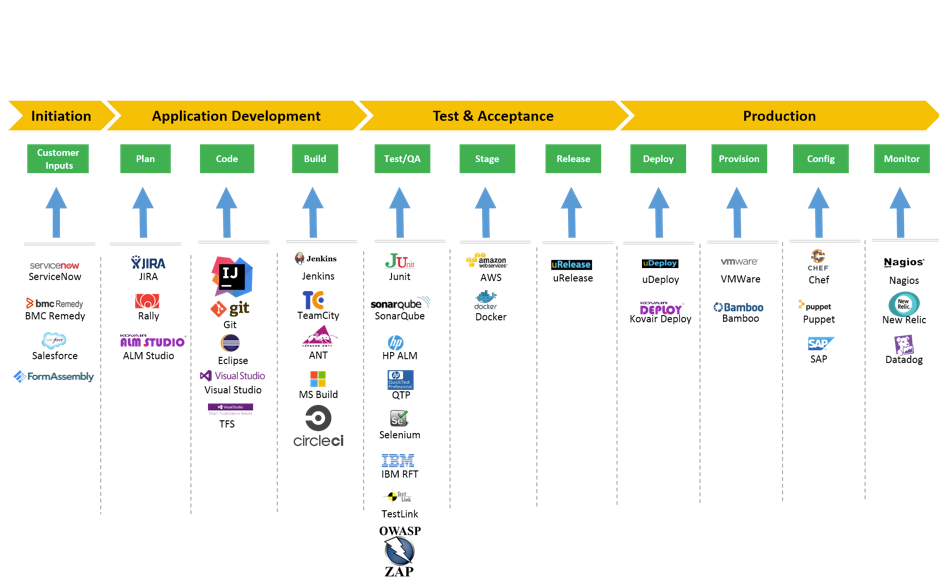
Credit: medium.com
Implementing The Strategy
Implementing a common tool strategy in Sec DevOps requires clear planning and focused execution. It involves aligning teams, defining roles, and providing the right training. The goal is to ensure smooth adoption and efficient use of tools across all teams.
Team Roles And Responsibilities
Define clear roles for each team member. Each person must understand their tasks related to the tool strategy. This clarity avoids confusion and overlaps.
- Tool Administrators:Manage tool setup, updates, and troubleshooting.
- Developers:Use tools to write and test secure code.
- Security Analysts:Monitor and assess tool outputs for risks.
- Operations Team:Maintain tool integration with infrastructure.
Assign accountability for each role. Regular check-ins help track progress and address issues quickly.
Training And Support
Provide tailored training sessions for each role. Use simple language and practical examples. This helps teams learn tools faster and better.
- Hands-on workshops for tool usage.
- Documentation with clear instructions and FAQs.
- Access to support teams for quick help.
Encourage continuous learning. Update training materials as tools evolve. Support builds confidence and improves tool adoption.
Monitoring And Feedback
Monitoring and feedback form the backbone of a strong Sec DevOps tool strategy. They offer clear insights into tool performance and security risks. This process helps teams spot issues early and adjust plans swiftly. Regular monitoring supports transparency and trust across all development stages.
Continuous Improvement
Constantly gathering feedback helps refine tools and processes. Teams can identify weaknesses and fix them fast. This cycle boosts efficiency and security over time. Each update builds on lessons learned, creating a better system. Continuous improvement keeps the tool strategy relevant and reliable.
Adapting To Changes
Technology and threats evolve quickly. A monitoring system alerts teams to new risks or failures. This allows fast adaptation of tools and policies. Being flexible helps maintain strong security and smooth operations. Adapting keeps the strategy aligned with current needs and challenges.
Case Studies And Best Practices
Examining real-world case studies and best practices reveals how Sec DevOps teams can craft a common tool strategy plan that works. Seeing what others have successfully done helps you avoid pitfalls and tailor approaches to your unique environment. It also encourages a mindset of continuous improvement through shared lessons.
Successful Implementations
Some organizations have streamlined their security and development tools by standardizing on a single platform that integrates CI/CD pipelines with automated security checks. This reduces tool sprawl and makes collaboration easier across teams.
One company cut deployment time by 40% after selecting tools that allowed developers and security engineers to work in the same interface. This alignment helped detect vulnerabilities early without slowing down releases.
- Centralized dashboards for real-time monitoring
- Automated compliance scanning built into pipelines
- Clear ownership and training on shared tools
Have you identified tools that both developers and security specialists feel comfortable using? That can be a game changer.
Lessons Learned
Many teams found that forcing everyone to use one tool without considering workflow differences backfired. Teams need flexibility within a common strategy to avoid frustration and workarounds.
Another lesson is to involve all stakeholders early when selecting tools. Developers, security, and operations each have unique needs that must align for the plan to stick.
- Don’t overlook change management and training needs
- Test tools in real scenarios before full rollout
- Maintain open communication to quickly address issues
Could your team benefit from piloting tools with a small group first? This approach often surfaces hidden challenges before wider adoption.
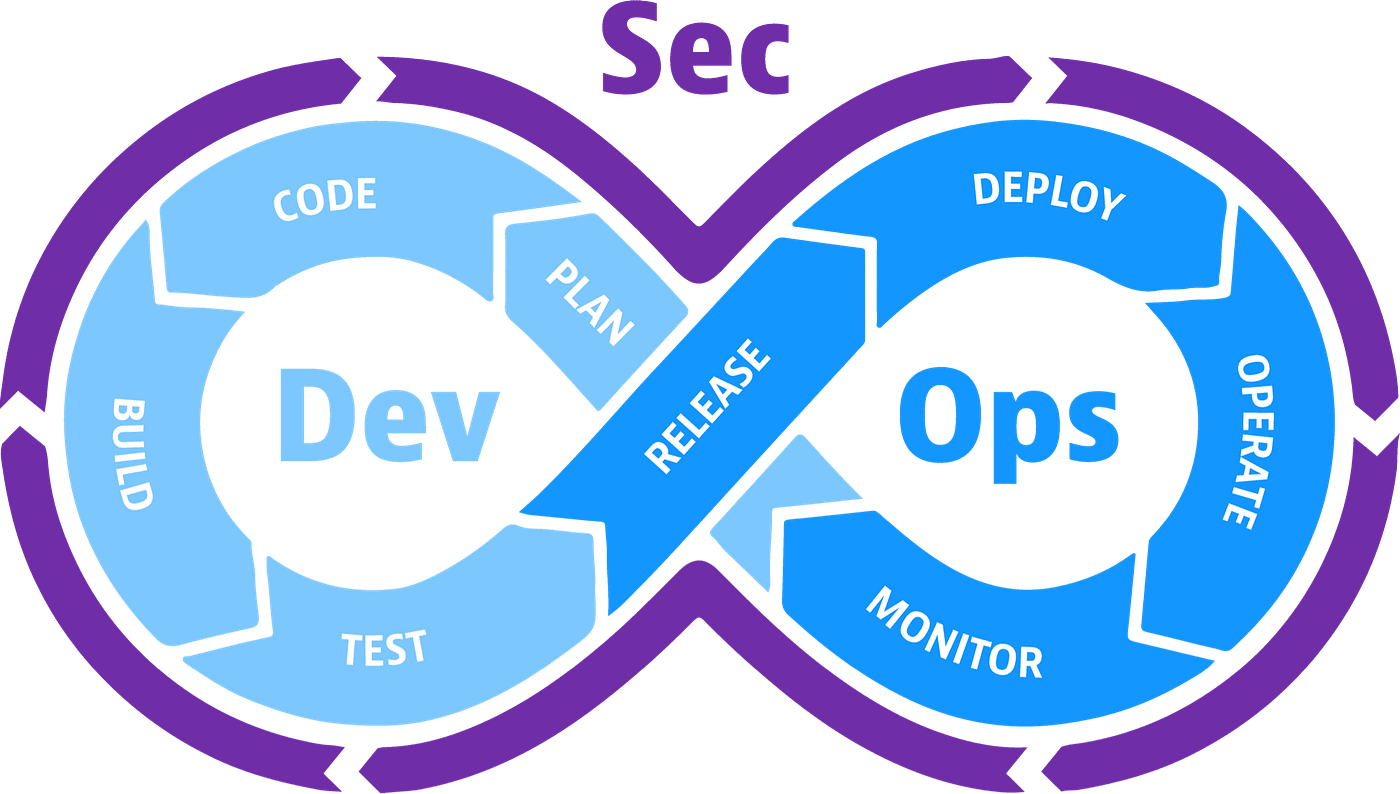
Credit: medium.com
Frequently Asked Questions
What Is Sec Devops Common Tool Strategy?
A common tool strategy in Sec DevOps aligns security, development, and operations tools. It ensures seamless integration and efficient workflows, enhancing collaboration and reducing security risks across teams.
How Does Sec Devops Improve Tool Selection?
Sec DevOps improves tool selection by focusing on security, automation, and compatibility. It emphasizes tools that support continuous integration, delivery, and monitoring while maintaining strong security controls.
Why Is Tool Standardization Important In Sec Devops?
Tool standardization reduces complexity and ensures consistent security practices. It simplifies training, maintenance, and integration, enabling faster development cycles and improved risk management.
How To Align Tools With Sec Devops Goals?
Align tools by assessing security needs, automation capabilities, and team workflows. Choose tools that integrate well, support compliance, and foster collaboration between development, security, and operations.
Conclusion
A clear tool strategy helps Sec DevOps teams work better together. It reduces confusion and saves time. Choosing common tools makes security checks faster and easier. Teams can spot problems early and fix them quickly. This leads to safer software and happier users.
Keep the plan simple and update it often. Success comes from teamwork and good communication. A strong tool strategy supports secure and smooth development.